

Here is the single most important practical fact about life in Shanghai: the city runs on two apps, and until they’re on your phone, you can’t easily buy a coffee, catch a taxi, rent a share-bike, order lunch, or pay your landlord.
The good news — and it is genuinely good news, because this used to be a nightmare — is that in 2026, setting up Alipay and WeChat Pay with a foreign Visa or Mastercard takes about twenty minutes, requires no Chinese bank account, and works almost everywhere. Here’s the full setup, the fees and limits, and the upgrade path once you’re settled.
Why you need both
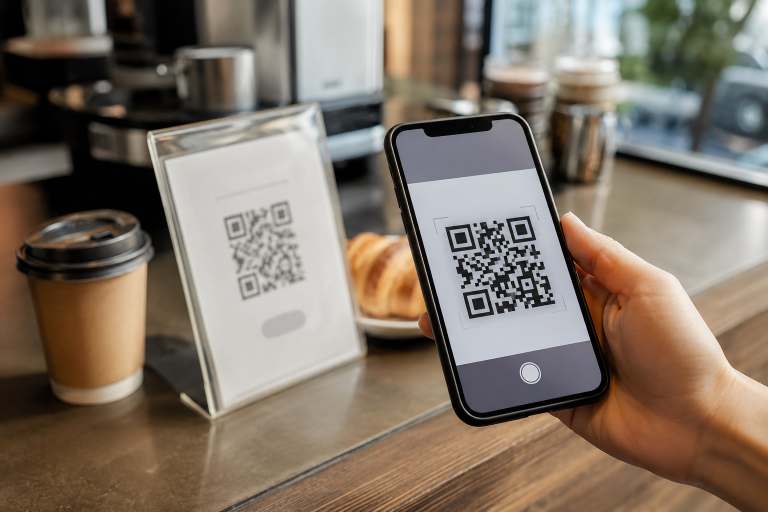
China skipped cards and went from cash straight to QR codes; your physical Visa is nearly useless at street level, and cash is treated like a museum exhibit. Around ninety percent of daily transactions are cashless, split between two ecosystems:
- Alipay — the better English interface, the more reliable foreign-card experience, and the home of essential mini-apps: Didi (ride-hailing), metro QR codes, train tickets, shared bikes.
- WeChat Pay — lives inside WeChat, which you need anyway because all of Chinese social and professional life happens there. Some small restaurants and scan-to-order menus are WeChat-only.
Set up both. Lead with Alipay for payments; you’ll use WeChat Pay constantly anyway.
Setup, step by step (do this before you’re hungry)
What you need: your passport, a foreign Visa / Mastercard / Amex / JCB / Discover / Diners card, and a phone number that can receive SMS (your home number works; a Chinese SIM is more reliable long-term — see our SIM card guide).
Alipay:
1. Download Alipay, choose English, register with your phone number.
2. Verify your identity: Account → photograph your passport photo page, then the facial-recognition selfie. Approval usually takes minutes. Don’t skip this — verification is what unlocks the real spending limits.
3. Add your card: Account → Bank Cards → enter details. Your home bank may fire a fraud alert on the small verification charge — approve it (this is the most common failure point; a quick call to your bank mentioning “Alipay” fixes it).
4. Open the Transport section once so metro QR codes are ready, and find Didi on the home screen.
WeChat Pay:
1. In WeChat: Me → Services → Wallet → Add a Card.
2. Passport verification (WeChat’s photo check is fussier — good light, no glare).
3. Link the card, approve the verification charge, and check Payment Settings to ensure international transactions are enabled.
Fees and limits in plain language
The structure, standardised across both apps as of 2026:
- Transactions of ¥200 or under: no fee. That covers coffee, metro, lunch, taxis — the majority of daily life.
- Over ¥200: about 3% cross-border service fee, plus whatever foreign-transaction fee your own card charges. A no-foreign-fee card is your friend here.
- Limits after passport verification are generous — on the order of $5,000 USD per transaction and $50,000 a year — high enough that most people never think about them.
What foreign-card wallets can’t do: the social money features. Sending money to friends, splitting bills peer-to-peer, and red packets (hongbao — the digital cash gifts that fly around at Chinese New Year) generally require a Chinese bank card. Which brings us to the upgrade path.
The expat upgrade: linking a Chinese bank card
The foreign-card setup is designed for tourists; it works fine for residents, but the fees on larger payments add up and the P2P restrictions get annoying — especially when your rent, your ayi, and your language tutor all expect transfers.
Once you have your work permit and residence permit, open a Chinese bank account (ICBC, Bank of China and China Merchants are the usual choices — bring passport, residence permit, work permit and sometimes your employer letter and lease; allow a full morning). Then link that card to both apps.
A local card transforms both wallets: no transaction fees, no meaningful limits, full P2P transfers and hongbao, and the ability to pay rent by transfer like everyone else. This is the real endgame — the foreign card gets you through your first months; the local card makes you a resident.
Living on the apps: a quick field guide
- Two payment modes: show your barcode for the cashier to scan (tap “Pay” — done), or scan the merchant’s QR sticker, type the amount, confirm with your PIN. Street vendors and small shops use the second.
- When a payment fails — it occasionally will, usually risk-control noise — switch apps and try again. This is why you set up both. Persistent failures on one card: try your other card, or call your bank.
- Keep a little cash anyway. ¥300–500 in small notes lives in a drawer for the once-a-quarter blackout, the ancient noodle shop, or a taxi with a broken scanner. ATMs at Bank of China and ICBC take foreign cards reliably.
- Your landlord and rent: many landlords are happy with Alipay/WeChat transfer from a local card; larger rents typically go by bank transfer. Either way, keep the payment records — they’re your receipt trail (see our rental contract guide for why that matters).
Troubleshooting the classics
- Card declined at binding: call your bank, mention Alipay/WeChat (“Tenpay”) by name, enable international online transactions, retry.
- Passport verification rejected: better light, no glare, name entered exactly as the machine-readable strip shows it (surname first).
- OTP codes not arriving: foreign SIM roaming is flaky for verification texts; this problem disappears with a Chinese SIM.
- Everything failing at the airport: both Pudong and Hongqiao have had dedicated foreigner payment-setup help desks since 2024 — a human will fix it with you.
The honest summary: payments went from Shanghai’s most feared logistics problem to its most solved one. Twenty minutes of setup — ideally before you land — and by day two you’ll have stopped thinking about it entirely.
Just arrived and setting up your Shanghai life? This is one of a series of settling-in guides — see also our posts on getting a SIM card, home internet, utilities, and registering with the police. And when you’re ready for the apartment itself: that’s what we do.

Join The Discussion